ExpoGenie & Novi
Integration

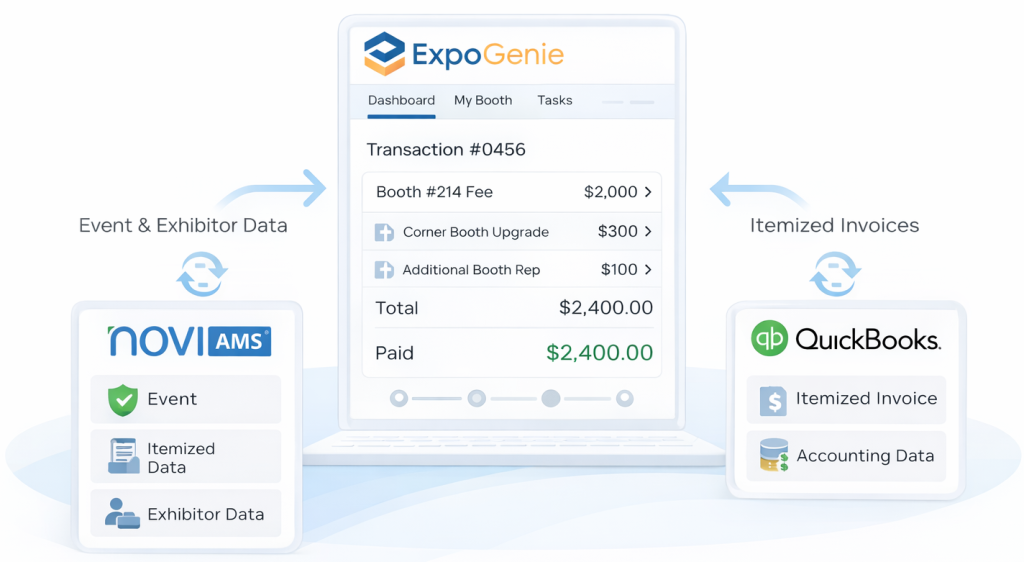
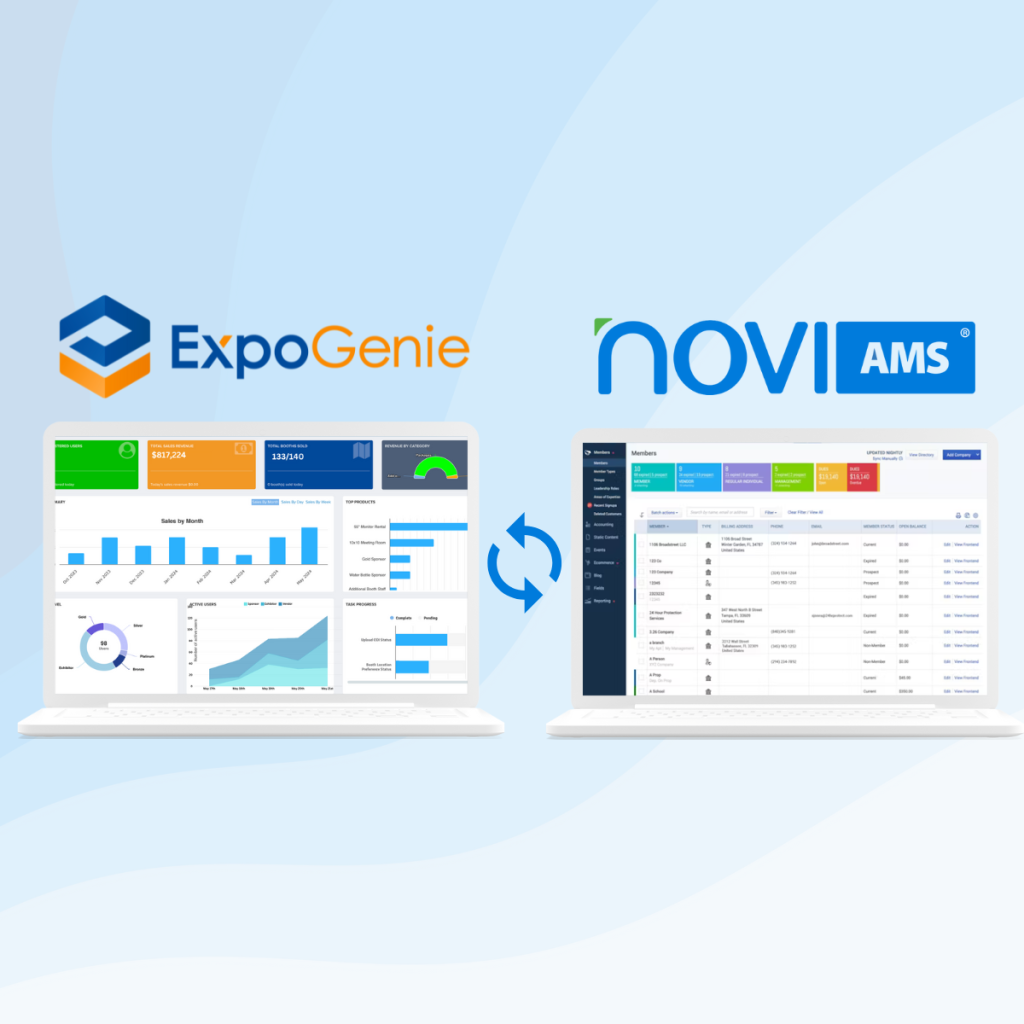
ExpoGenie integrates with Novi AMS and QuickBooks Online to deliver a seamless exhibitor experience with clean, itemized financials and event data synced back to your system of record.

Why Novi + ExpoGenie

SSO + QuickBooks sync
Built for Apartment Associations

Built for apartment associations running trade shows

If your team is small, your event is big, and you’re tired of reconciling booth sales across systems, this integration is for you.

What associations typically struggle with:

  • Exhibitors get stuck between multiple logins and email-based access steps
  • “Member-only” rules get messy (staff ends up manually verifying)
  • Payments post, but line items don’t reconcile cleanly
  • Booth assignments and upgrades live in spreadsheets because syncing is unreliable
  • Finance needs Novi/QBO to stay accurate, but events need speed + guardrails

1. Single Sign-On + Membership Verification

Exhibitors can access the ExpoGenie portal using their Novi credentials, and ExpoGenie automatically recognizes membership status.

Why this matters

  • Less friction = more completed booth purchases
  • No duplicate accounts or “which email did I use?” chaos
  • Member-only exhibitor access enforced consistently (no manual policing)
Why This Matters

Exhibitors get a modern “pick → pay → confirm” experience

Your team spends less time fixing booth errors and chasing payments

2. Booth Selection + Checkout inside ExpoGenie

Exhibitors select booths (with rules + guardrails) and complete checkout in one flow.

Supports real-world line items:

  • Booth fee
  • Corner / premium upgrades
  • Additional booth reps
  • Sponsorships (optional)

3. Itemized Financial Sync to Novi + QuickBooks

ExpoGenie passes transaction details back so Novi/QuickBooks can stay the system of record.

Key value: itemization, not lump sums.
Instead of one generic payment amount, the transaction can be broken down into meaningful event line items (booth, upgrades, reps, etc.).

Why finance teams love it
  • Clean reconciliation
  • Fewer manual adjustments
  • Accurate reporting by event and revenue category
Why This Matters
  • Novi remains the “single source of truth”

  • Staff can run reports and answer questions without jumping systems

  • Less risk of data drift across tools

4. Event & Exhibitor Data Written Back to Novi

When an exhibitor purchases, key details are written back to the correct event record in Novi.

Examples of data you can sync

  • Event identifier
  • Exhibitor company + contact(s)
  • Booth number(s)
  • Items purchased + amounts
  • Payment/invoice references

Why this is such a big unlock for
apartment associations

Apartment associations have unique operational pressure:

  • Small teams
  • High exhibitor expectations
  • Strong member gating requirements
  • QuickBooks-centric finance workflows

This integration is designed to reduce manual work in the exact places associations get stuck:

  • Membership verification
  • Booth assignment integrity
  • Payment and invoice reconciliation
  • Event reporting consistency

Trusted by industry leaders:

Frequently Asked Questions

No. The goal is Novi SSO, so exhibitors use their Novi credentials.

Yes. ExpoGenie can enforce member verification so only eligible members can access/purchase.

Yes. The intention is to sync specific line items (not just a lump payment).

No. Novi remains your AMS + system of record. ExpoGenie powers the exhibitor experience: booth sales, selection, tasks, and portal workflow.

Supported. ExpoGenie can handle complex pricing logic and itemized checkout flows.

Most teams launch in phases:

  1. SSO + membership gating
  2. Booth sales + itemized checkout
  3. Event write-back + reporting polish

Ready to see it in action?
Book a 20-minute walkthrough